Fast personal hotkeys
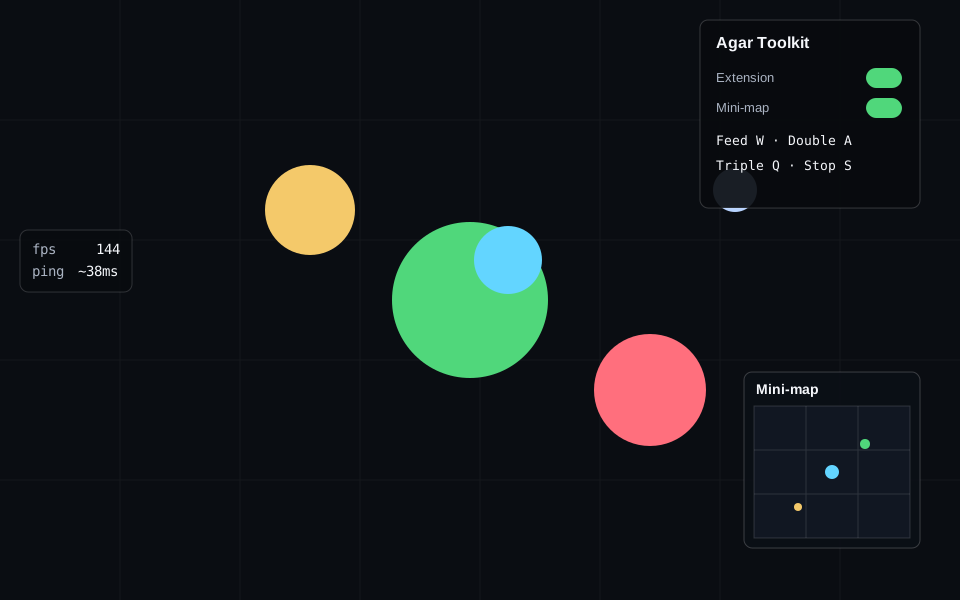
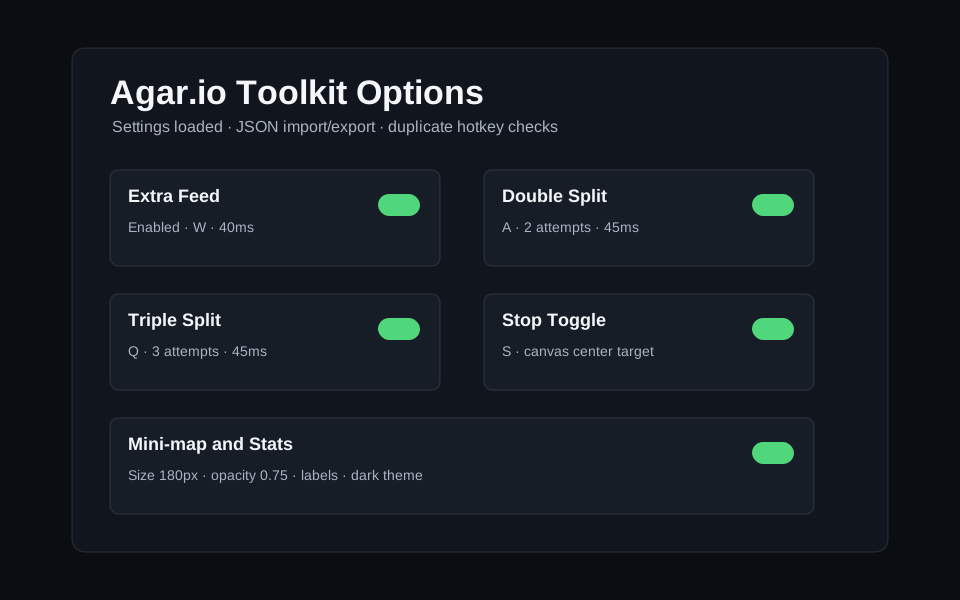
Hold W for Extra Feed, press A for Double Split, press Q for Triple Split, and press S to toggle stop mode.
Agar.io browser extension and userscript
Safe configurable hotkeys, mini-map overlay, compact stats, stop toggle, and a minified Tampermonkey download for personal Agar.io gameplay.
Built for personal play
Agar.io Personal Toolkit focuses on client-side input helpers and readable overlays. It avoids bots, account automation, packet spoofing, private traffic inspection, and hidden behavior.
Hold W for Extra Feed, press A for Double Split, press Q for Triple Split, and press S to toggle stop mode.
Use a compact control panel, mini-map estimate, FPS/ping strip, and brief lag warnings with safe latency fallback.
No bots, no farming, no private traffic hooks, and no hidden behavior. Every feature is visible and configurable.
Screenshots
Download
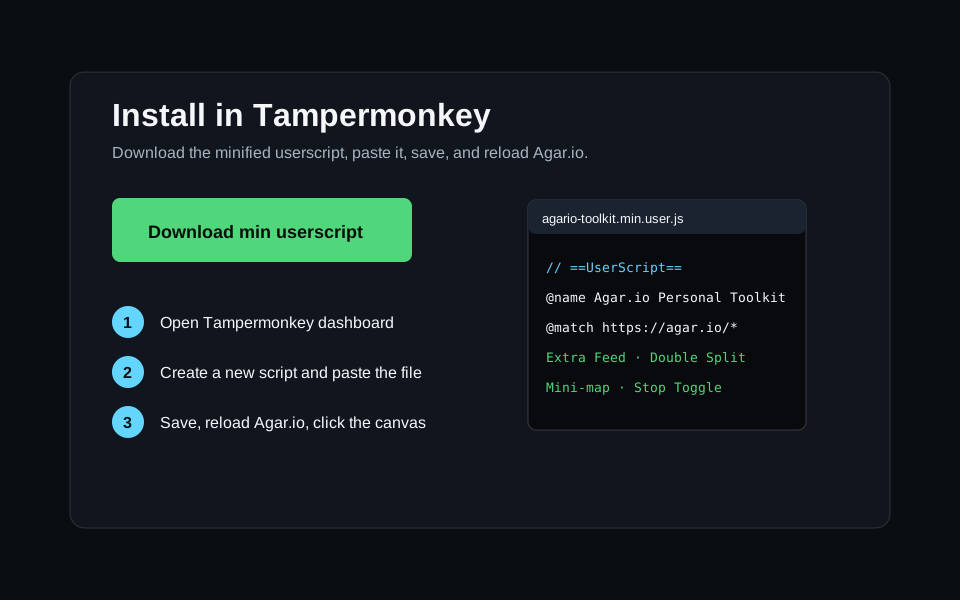
The minified build keeps the userscript compact while preserving the transparent source version in the repository. Use only one install path at a time: either the unpacked extension or the Tampermonkey userscript.
Version 1.0.4, built for Tampermonkey on Chromium-based browsers.
Guide
This Agar.io extension is designed for players who want faster personal controls, clearer on-screen information, and easy configuration without turning the game into unattended automation. It supports Chrome, Brave, Edge, Opera, and Tampermonkey.
It does not bypass anti-cheat systems, read private server traffic, spoof sockets, farm accounts, or run a bot. Advanced game state such as exact positions only appears when safely available from client-rendered state.